9 Best Photo Slideshow Software in 2026
Turning a folder of photos into a slideshow takes the right software, and the options range from one-click wizards to full video editors. This review compares 9 slideshow programs for PC and Mac that combine photos, video clips and music into a slideshow, looking at pricing, animation control and audio editing. We installed the trial or free version of each program and ran the same basic workflow: import a folder of photos, apply transitions and pan/zoom animation (the Ken Burns effect), add a music track, and export a video, then checked that each feature described here works as advertised. Pricing and specs were checked on each vendor's official website in August 2026 and may change after publication.
In this article: PTE AV Studio, Movavi Slideshow Maker, Icecream Slideshow Maker, MAGIX Photostory Deluxe, FotoMagico, PhotoStage Slideshow Producer, Wondershare Filmora, DaVinci Resolve, Canva.
PTE AV Studio
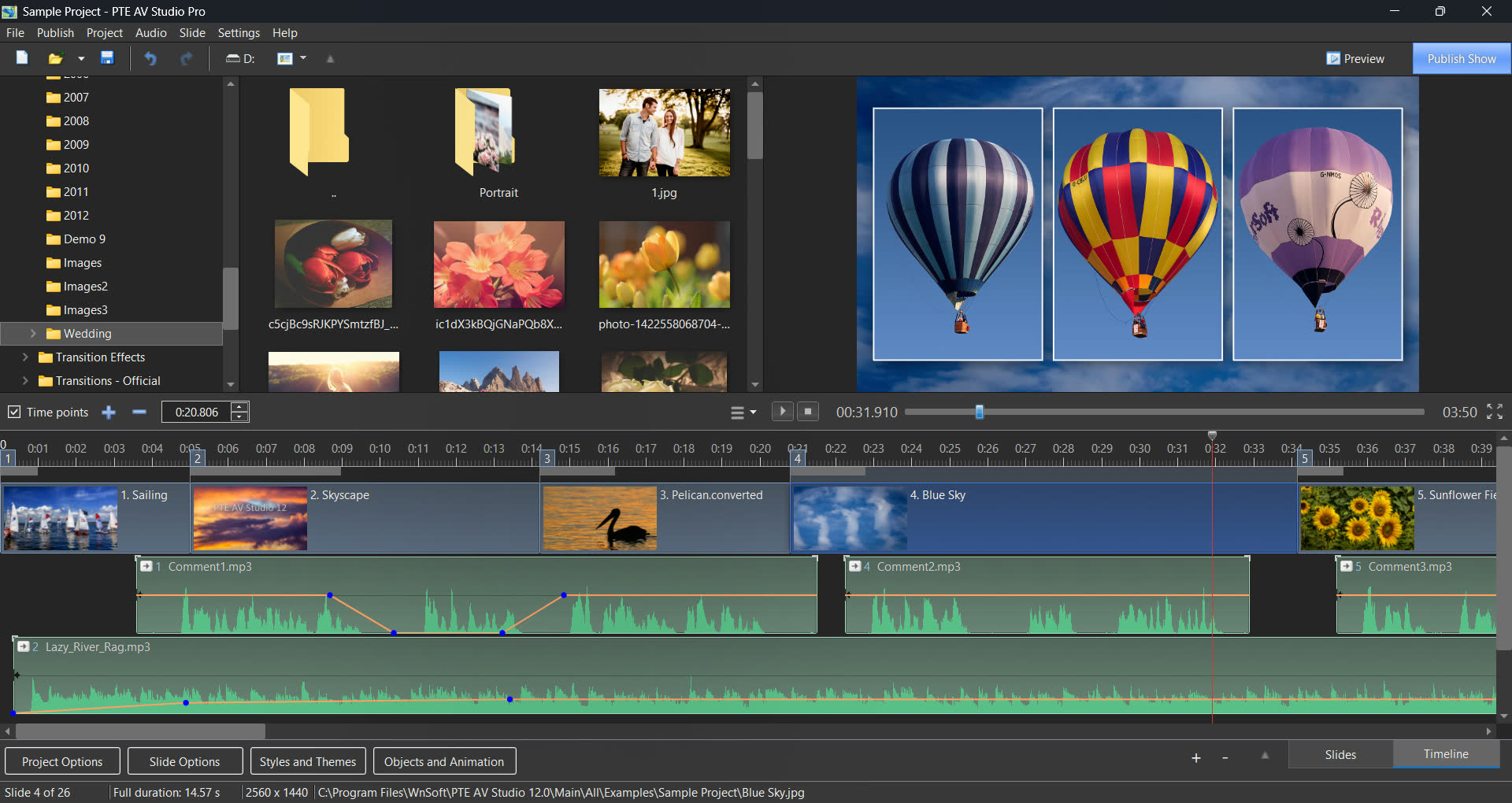
PTE AV Studio is dedicated software from WnSoft for creating photo slideshows and audiovisual shows on Windows and Mac, in development since 1999 (27 years) and now at version 12.0. It's built around a keyframe animation editor and an Objects (Layers) system for arranging images, video, text and masks on a slide, and users can switch between a Slide List view and a Timeline view to sequence a project. The program ships with 130+ built-in slide styles, themes and transitions, a multi-track timeline for synchronizing audio, and image/video effects such as chroma key, masking and motion blur. Finished projects can be exported as video up to 1080p/4K resolution, or as an executable slideshow with interactive playback controls (an EXE file for Windows or a standalone Player app for Mac), so viewers don't need PTE AV Studio installed to watch it. Photo enthusiasts are the core audience, and it's sold as a one-time purchase for Windows and Mac (Pro edition) or Windows only (Standard edition). Beginners can get a result right away by applying one of the built-in slide styles, then grow into the keyframe editor at their own pace as they want more custom control.
Pricing: $75 (Standard) or $149 (Pro), one-time purchase, no subscription.
Pros:
- Powerful keyframe animation editor with pan, zoom, rotate and 3D transforms, included in both editions.
- Instant, smooth, full-resolution preview, with no rendering needed first.
- One-time purchase, no subscription.
- Exports as video, or as an interactive executable slideshow.
Cons:
- Some learning curve for the Objects and Animation Editor.
- No smartphone or tablet app for creating or editing slideshows.
Best for: photo enthusiasts who want precise animation control, a wide range of creative effects, and no subscription.
Movavi Slideshow Maker
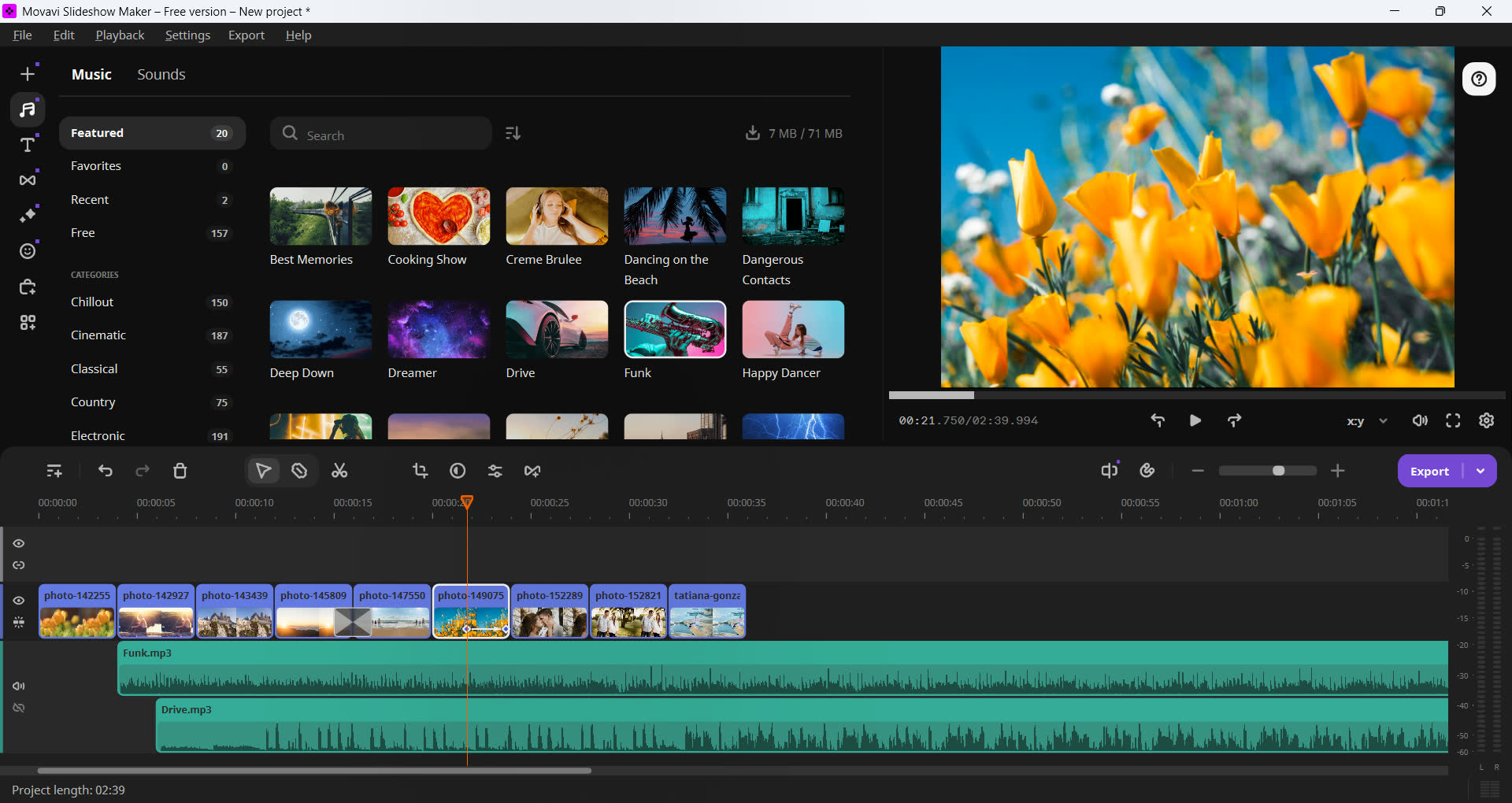
Movavi Slideshow Maker builds photo and video slideshows with music on Windows and macOS. It offers a Slideshow Wizard for automated creation and a Manual Mode with a timeline editor for direct control over clips, transitions and titles. The default effects pack includes 105 transitions, 46 titles, and 27 audio tracks, plus tools such as Scene Detection (splitting longer footage into clips), motion tracking, and chroma key background removal. Beginners and casual users are the target here, and a single purchase activates on both Windows and Mac.
Pricing: $44.95/year (annual subscription) or $99.95 one-time for the Plus lifetime tier.
Pros:
- Dual workflow: automated Wizard mode for fast results plus a Manual Mode with full timeline control.
- Simple interface for beginners.
- Motion tracking (Quick and Precise modes) lets stickers and titles follow a moving subject automatically.
Cons:
- Its animation is preset-driven and basic, without frame-precise, point-by-point keyframe control.
- The 1-month and 1-year plans are auto-renewing subscriptions. The lifetime option costs roughly double the annual price.
Best for: beginners who want an automated wizard for quick slideshows with minimal editing.
Icecream Slideshow Maker
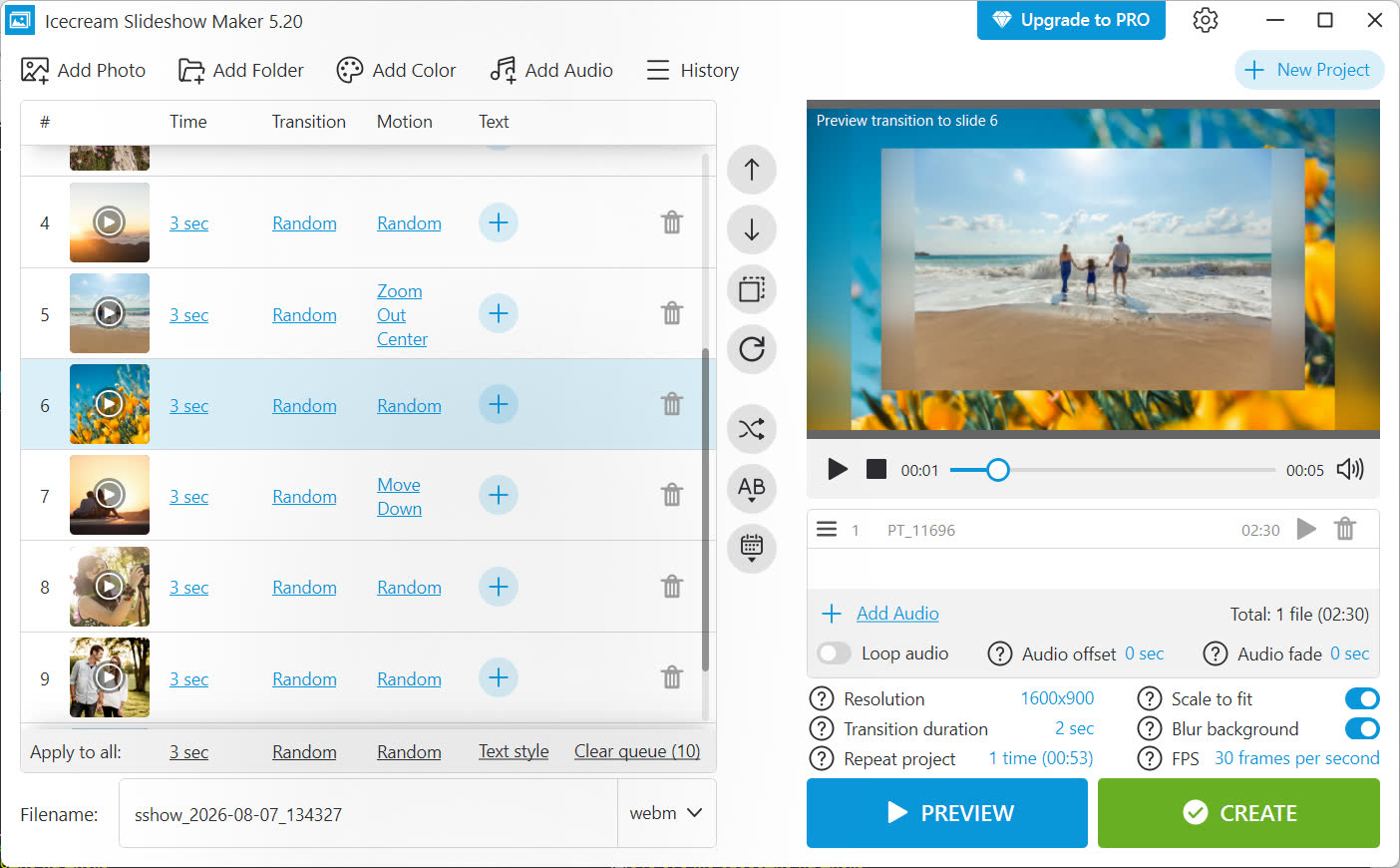
Icecream Slideshow Maker targets budget-conscious beginners on Windows, combining photos and video clips into a slideshow with music, transitions and text overlays. It includes more than 25 transition effects and a Ken Burns-style "motion effect" (covering zoom, crop, fade and pan variations) for animating static images, and it exports up to 4K (3840x2160) resolution in MP4, AVI, MOV, WebM and MKV formats. People putting together slideshows for occasions such as weddings, travel and graduations make up its typical user base, and it's available on Windows only, with no mobile app.
Pricing: $19.95/year (subscription) or $39.95 one-time for a lifetime license.
Pros:
- Low one-time lifetime price ($39.95) compared to subscription-only competitors.
- Direct upload and sharing to YouTube, Google Drive and Dropbox from within the app.
- Free version has no watermark on exports, though projects are capped at 10 slides.
Cons:
- No keyframe animation editor. The built-in motion effect can't be adjusted point by point.
- No multi-track audio editing. Background music is limited to a sequential playlist.
- 32-bit only, with no 64-bit version. MP4 export and 1920x1080 resolution are limited to the paid Pro tier, and the free version doesn't offer 60fps.
Best for: budget-conscious beginners who want a low-cost lifetime license for basic slideshows.
MAGIX Photostory Deluxe
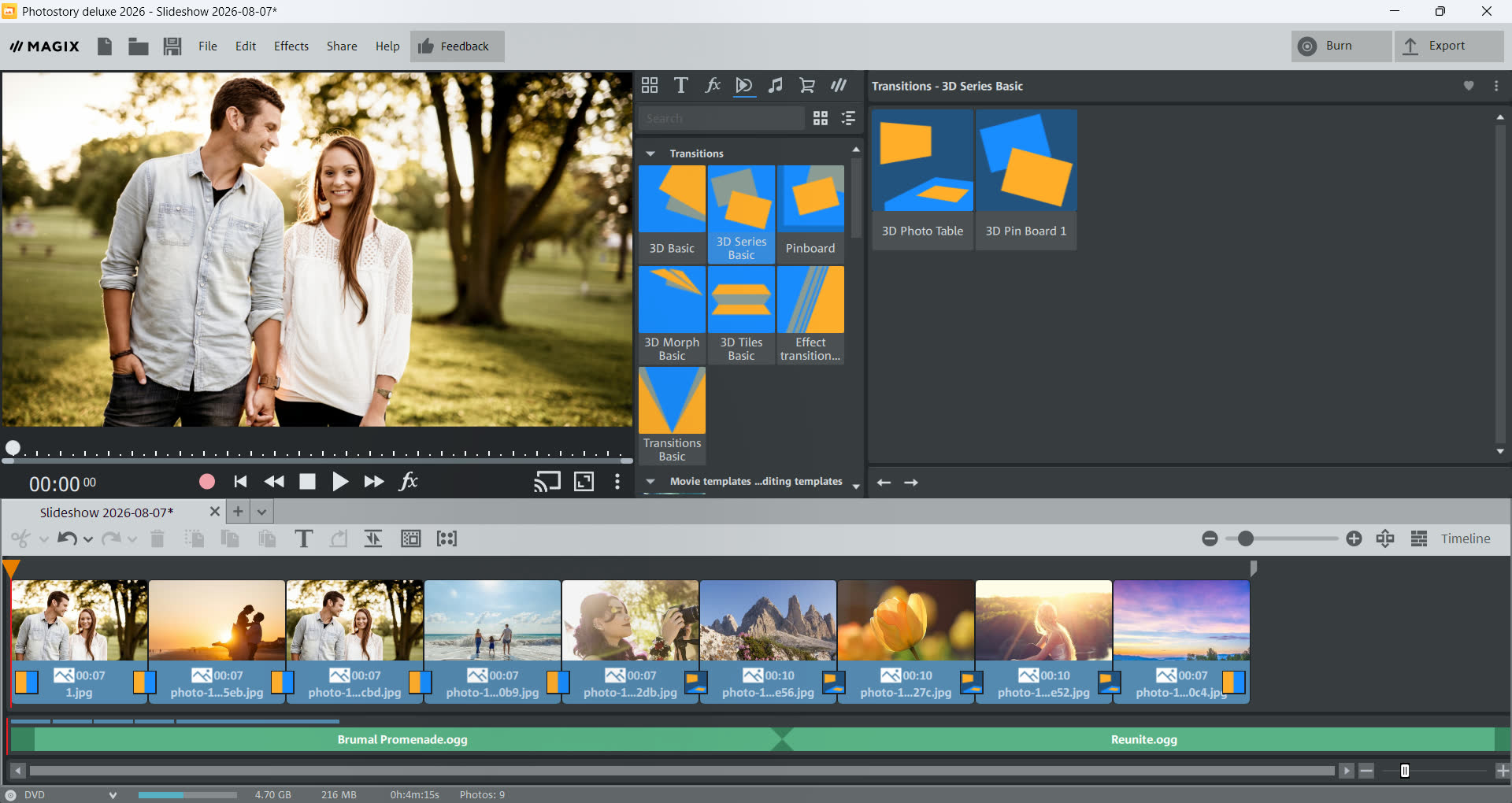
On Windows, MAGIX Photostory Deluxe combines photos and video clips with music, transitions, titles and animated effects. The workflow centers on a four-step Photostory Wizard, an 8-track timeline, and a keyframe animation editor covering position, scale, rotation and camera pan/zoom. The 2026 version adds AI-based text-to-speech voiceover generation and speech-to-text subtitle creation in over 100 languages. Beginners and casual users preserving vacation and family memories are the target audience; it's a Windows-only, one-time purchase.
Pricing: $39.99 (Photostory deluxe 2026) or $79.99 (Plus, adds Photo Manager Deluxe and disc export), one-time purchase; the vendor's store frequently runs promotional discounts off these list prices.
Pros:
- Keyframe animation editor for position, scale, rotation and camera pan/zoom, with automatic Bezier interpolation.
- Built-in AI text-to-speech voiceover and speech-to-text subtitle generation in 100+ languages, included at no extra cost.
- One-time perpetual license pricing, with no mandatory subscription.
Cons:
- Windows only; no macOS version.
- The free AI credit allowance felt limited in our testing, enough for only a few short projects before we ran into paid credits or a subscription.
- Trial requires registering and entering an activation code sent by email before you can start using it. It also installs 4 extra MAGIX helper apps (Cloud Import, Speed BurnR, Travel Maps, Templates) that you have to remove separately if you uninstall.
Best for: Windows users who want automated AI voiceover and subtitle generation built into a slideshow tool.
FotoMagico
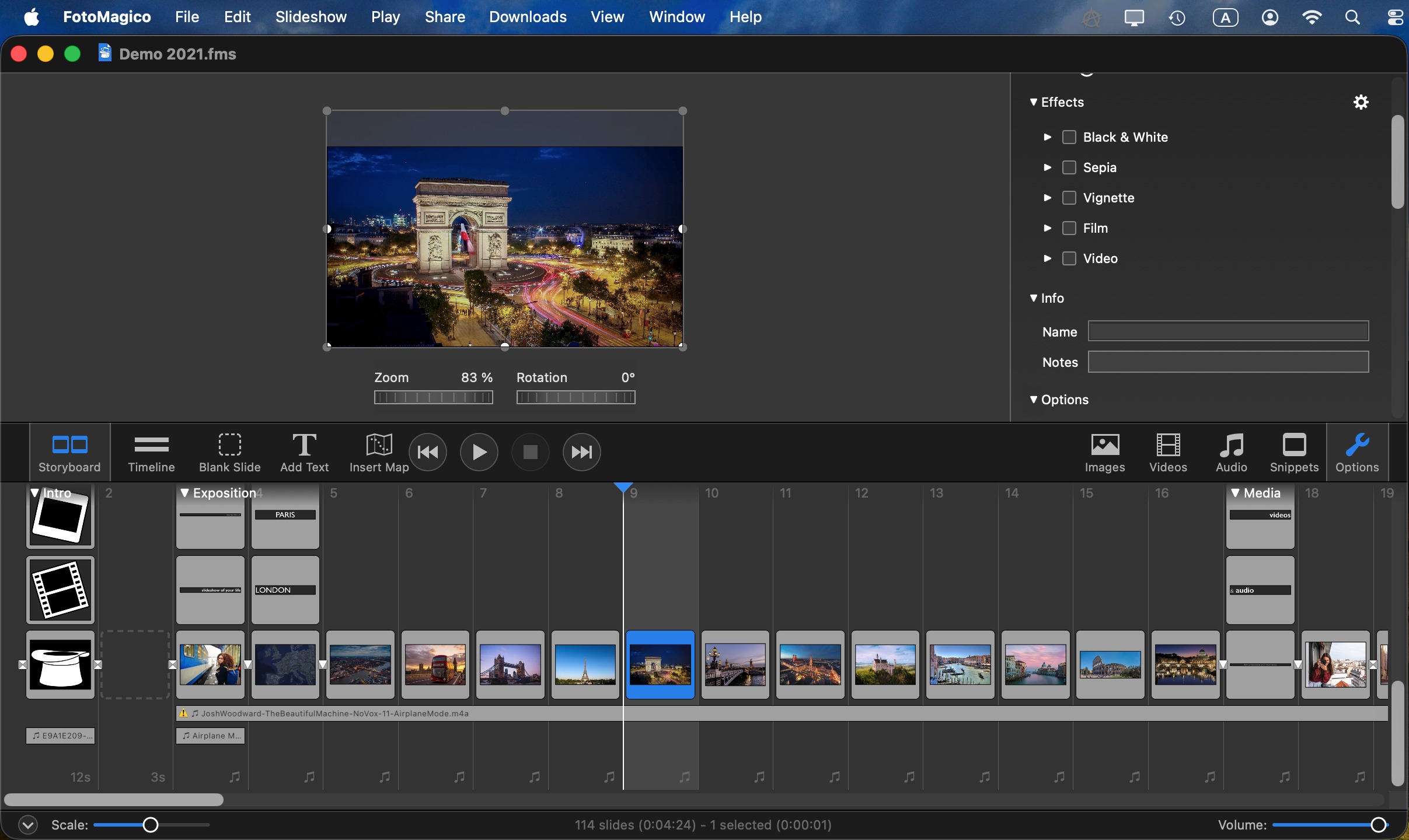
Made by Boinx Software for Mac and iPad and now in version 6, FotoMagico combines photos, video, animated maps and music using a Storyboard or Timeline view. Like PTE AV Studio, it plays back in real time at full resolution, with no separate rendering step. Version 6.6 added an AI-assisted "Ken Burns Effect 2.0" that analyzes photos to place pan/zoom keyframes automatically, alongside at least 20 transition types and 3 simultaneous audio tracks (Music, Ambience, Narration). Besides video, projects can be exported as a Standalone Player, a self-contained Mac application that plays the show without FotoMagico installed. Mac and iPad users who want more creative control than a basic photo app get the most out of it, and projects sync between devices via iCloud.
Pricing: subscription only, $7.99/month or $79.99/year via the Mac App Store.
Pros:
- Real-time, full-resolution playback with no separate rendering or export step before presenting.
- AI-assisted pan-and-zoom animation with automatic focal-point detection, plus manual override.
- Three independent audio tracks (Music, Ambience, Narration) with per-track volume control and automatic ducking.
- Can export a Standalone Player, a self-contained Mac app that plays the show without FotoMagico installed, in addition to video.
Cons:
- macOS and iPadOS only.
- Subscription-only since version 6, with no one-time-purchase option, unlike version 5. A single year of the $79.99/year subscription already costs more than version 5's entire one-time price ($49.99), and the gap keeps growing with every renewal.
- Requires email registration to start the trial.
Best for: Mac and iPad users who want real-time slideshow playback without a rendering step.
PhotoStage Slideshow Producer
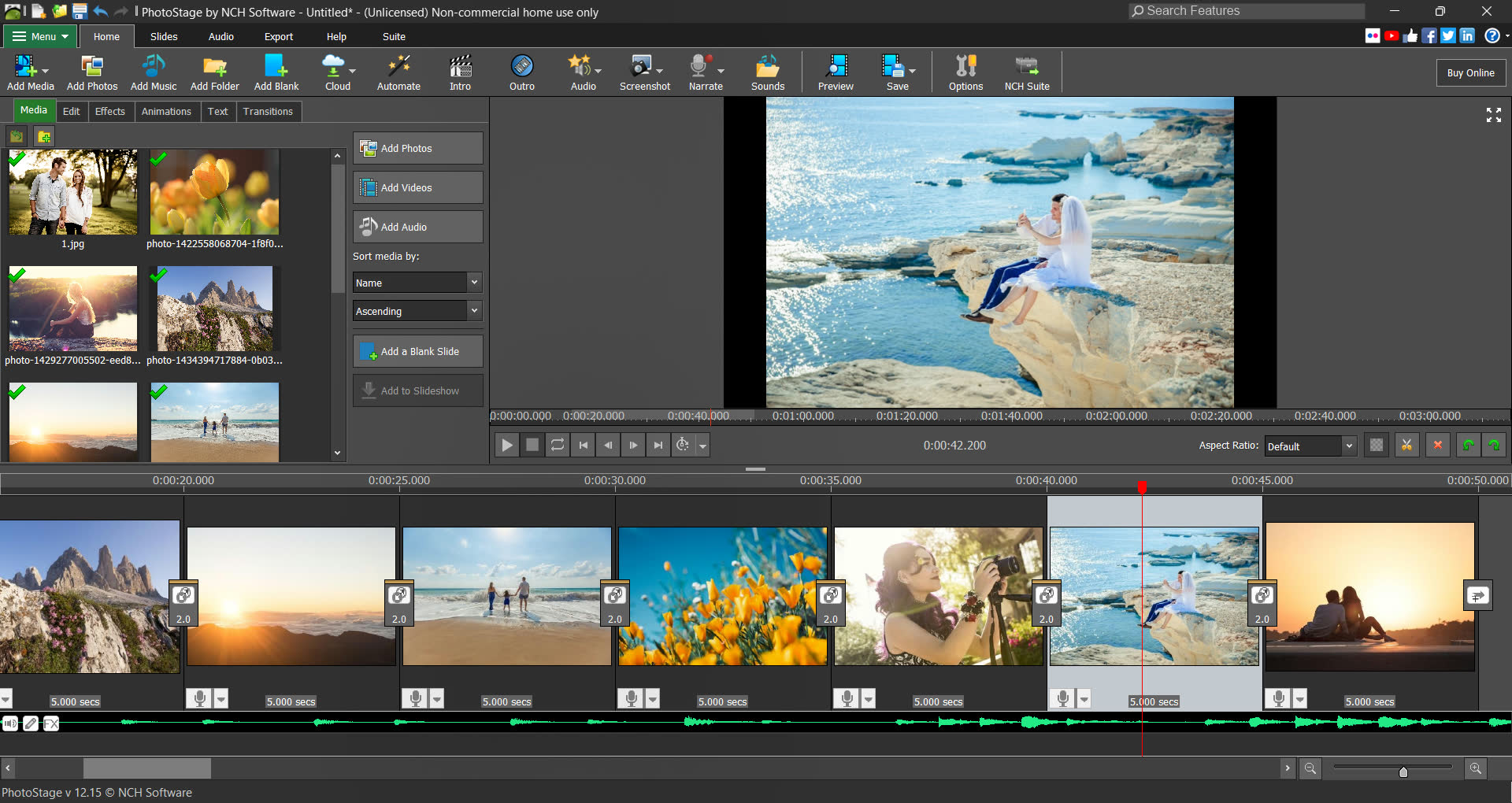
From NCH Software, PhotoStage Slideshow Producer combines photos, music and narration into a video presentation on Windows and Mac, with video clip insertion available in the Pro edition. Editing is split across Edit, Effects, Animations and Text tabs, with preset pan, zoom and spin animation effects, around 39 image/video effects, and around 36 named transitions. It works for both personal and light commercial use, with mobile companion apps for Android and iOS alongside the desktop editor.
Pricing: Home $24.99 (photos only, no video clip insertion), Pro $34.99 (adds video clip insertion), one-time purchase. A free non-commercial version is also available.
Pros:
- Broad export support: 4K/1080p/720p video, DVD, HTML5, and direct upload to YouTube, Vimeo, Flickr, Dropbox, Google Drive and OneDrive.
- Free, non-expiring version available for non-commercial use.
- Narration recording built in, with per-slide narration start points.
Cons:
- No keyframe animation editor; pan, zoom and spin are fixed presets that can't be adjusted on a timeline.
- Audio isn't truly multi-track: only one sound file plays at a time, and crossfading is automatic with no manual control.
- The free version is restricted to non-commercial use; commercial projects require the paid Home or Pro edition.
- 32-bit only, with no 64-bit version.
Best for: users who want a free, non-commercial slideshow tool with broad export and upload options.
Wondershare Filmora
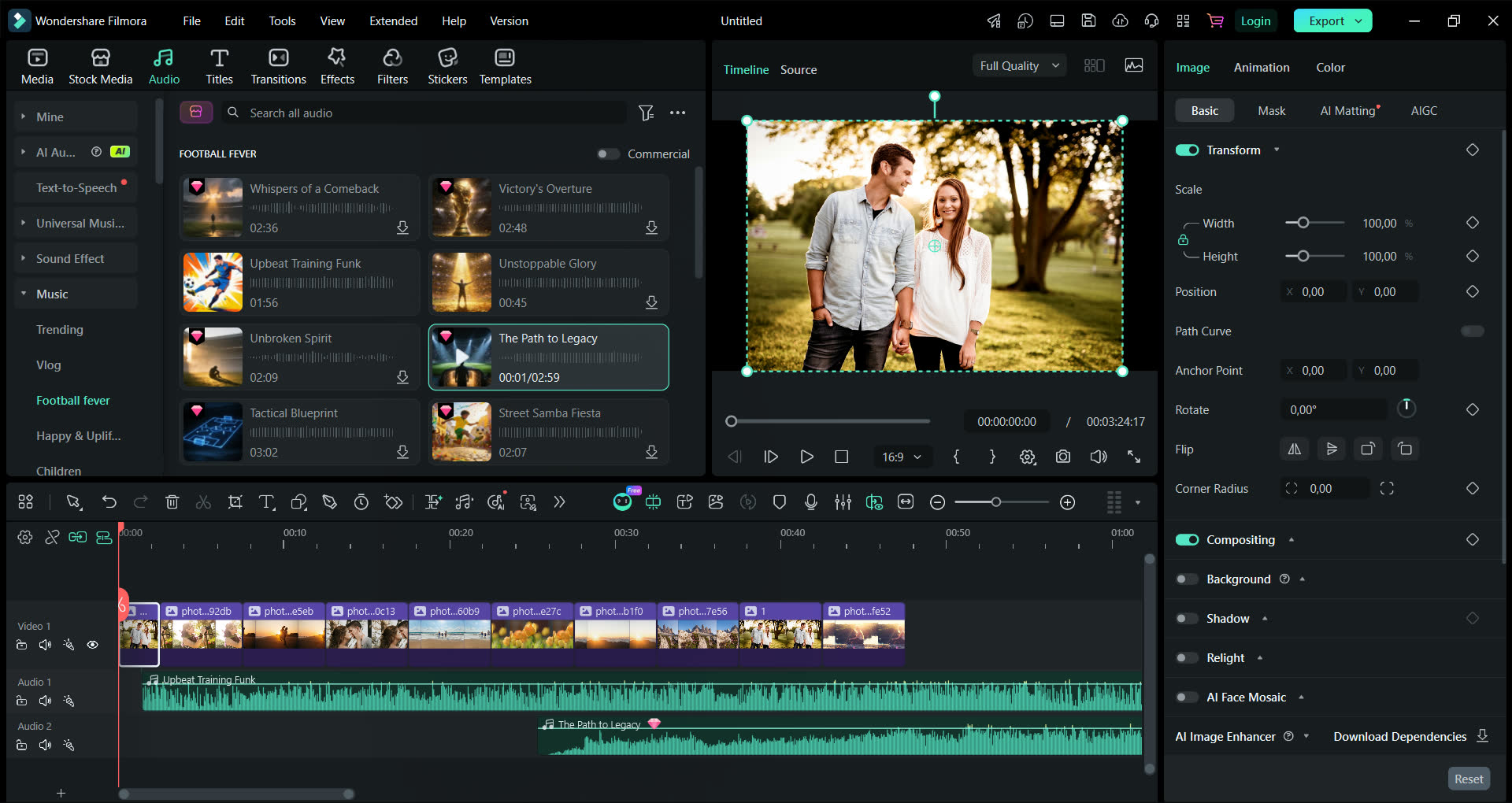
Wondershare Filmora markets itself as an AI Video Editor: a general-purpose video editor for Windows and Mac with a multi-track timeline, GPU-accelerated rendering and a library the vendor describes as "2.9M+ Creative Assets." Photo slideshows are built by placing images on the general timeline and adding transitions, beat-synced music and titles, including an "AI Idea to Video" feature that can generate a starting edit from a text prompt. It covers beginners through semi-professional creators, with desktop apps for Windows and Mac plus mobile apps for iOS and Android.
Pricing: $49.99/year (Basic subscription) or $79.99 one-time (Perpetual, updates limited to the current major version, sold per platform).
Pros:
- Keyframe animation editor with a Value Graph Editor and five interpolation types.
- Multi-track timeline with independent audio tracks, per-track volume, fades and automatic ducking.
- Available as either an annual subscription or a one-time perpetual purchase.
Cons:
- There's no one-click slide style the way dedicated slideshow software offers; the look has to be built manually.
- AI features, such as background removal, run on a credit allowance: a one-time lifetime allocation on the Perpetual license that never refreshes, or a monthly allowance on subscription plans, with additional credits sold separately once the allowance is used.
Best for: users who want AI-assisted video tools and don't mind building a slideshow on a general-purpose timeline.
DaVinci Resolve
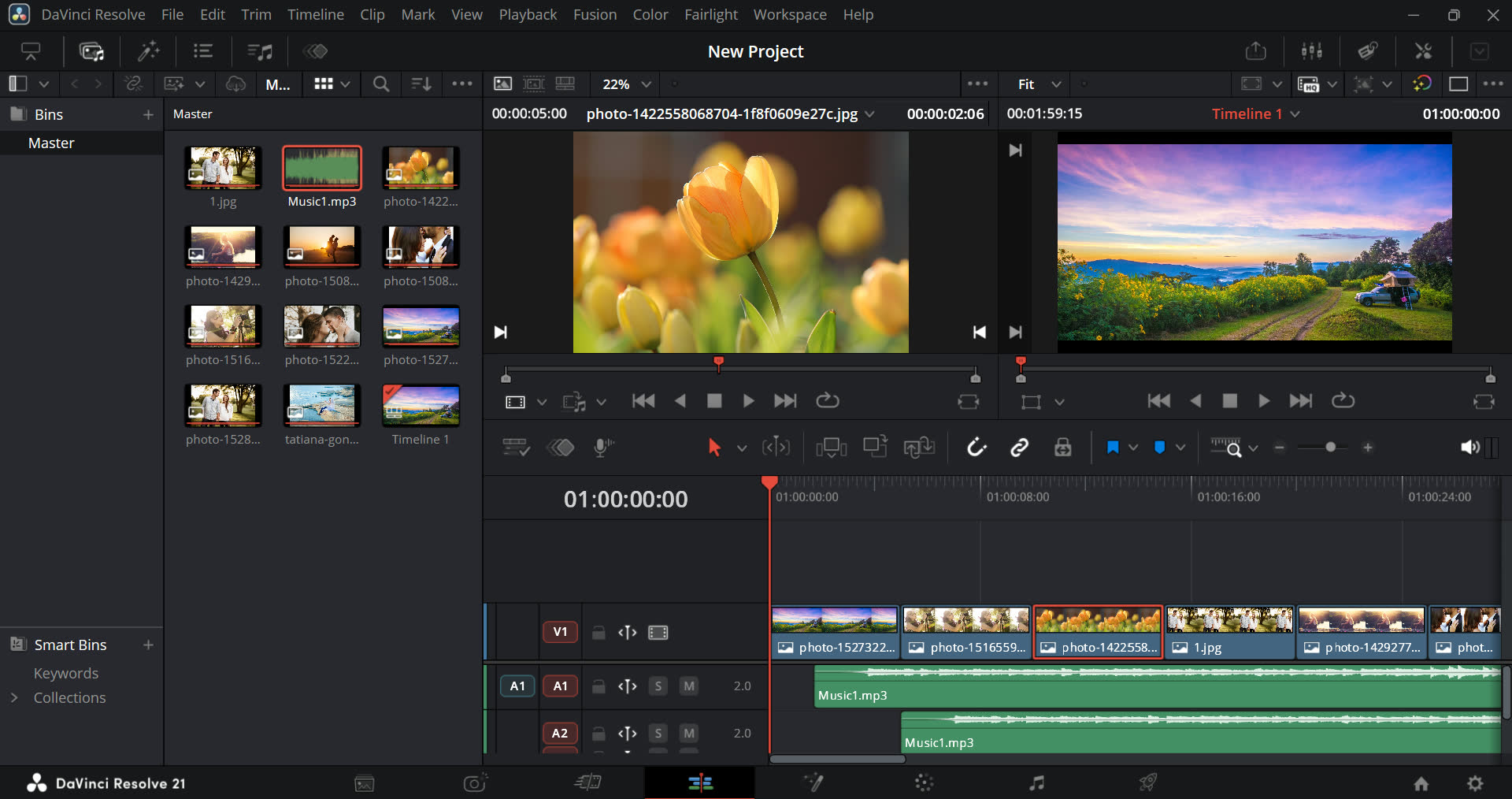
DaVinci Resolve, from Blackmagic Design, is a free, professional-grade non-linear video editing and post-production suite that wasn't built for slideshows at all. It's organized into workspace pages for editing (Edit/Cut), compositing (Fusion), color grading (Color), audio (Fairlight) and export (Deliver). It has no dedicated slideshow project type, themes or slide styles of the kind found in dedicated slideshow software. A photo slideshow is built manually by placing images on the Edit page timeline, animating pan and zoom through Fusion's spline keyframe editor or the Dynamic Zoom effect, and mixing audio in Fairlight, which supports up to 1,000 realtime audio tracks on stock hardware. It's built for film, broadcast and video production professionals more than casual slideshow makers, and it runs on Windows, macOS and Linux.
Pricing: free (full-featured); DaVinci Resolve Studio $295, one-time purchase.
Pros:
- The free version is a full-featured professional editor, including color grading, Fusion compositing and Fairlight audio at no cost.
- The Fairlight page supports up to 1,000 realtime audio tracks on stock hardware (2,000 with the optional Fairlight Audio Accelerator card), with per-channel EQ, dynamics and 25+ bundled audio plugins.
- DaVinci Resolve Studio is bought once, with no subscription required.
Cons:
- No dedicated slideshow project type, themes or slide styles; a slideshow must be manually assembled on a general editing timeline, with pan-and-zoom animation keyframed per clip individually.
- One of the steepest learning curves among the programs in this review: the multi-page interface and node-based Fusion/Color tools are built for professional video workflows; there's no one-click slideshow creation.
- Recommended hardware is heavier than a dedicated slideshow tool needs: a discrete GPU with 8GB+ VRAM for smooth 4K editing.
- Requires email registration just to download the free version. The installer is also large, at 3.4GB.
Best for: experienced users who want professional color grading and audio tools for free and don't mind a steep learning curve.
Canva
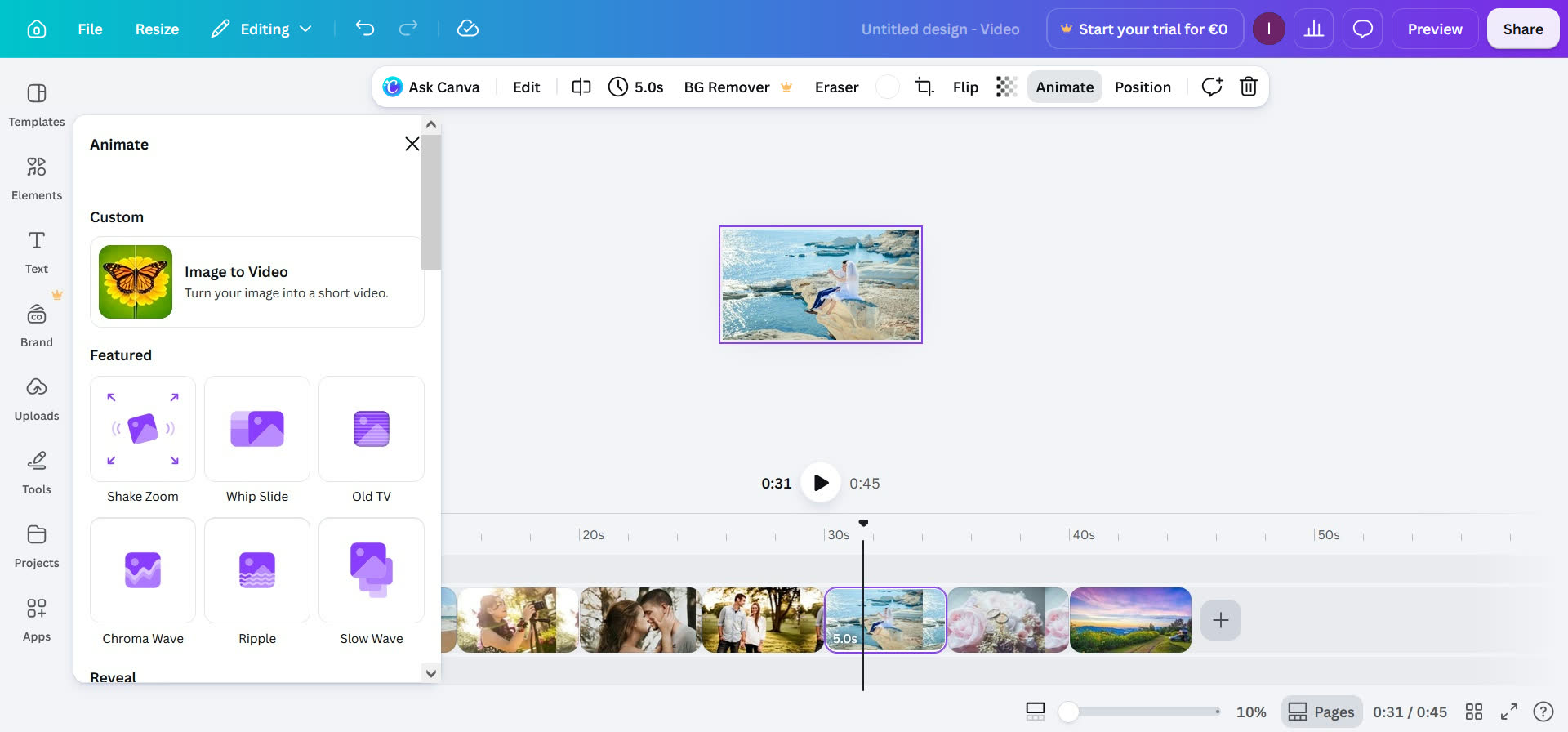
Canva is a browser-based design platform that includes a drag-and-drop video and slideshow editor within a much broader suite covering presentations, social graphics and documents. The video/slideshow maker uses a slide-based canvas with a multi-track timeline for video/graphics and audio, drawing on a library of 250,000+ free templates, over a million free stock photos, and preset transitions and animations. Beginners and non-designers are the natural fit, and it's accessible through a web browser, desktop apps for Windows and Mac, and mobile apps for iOS and Android.
Pricing: free; Pro $120/year billed annually ($10/month equivalent) or $15/month billed monthly.
Pros:
- The free tier supports a functional multi-track timeline, transitions, text overlays and 1080p watermark-free export when only free assets are used.
- Very large template and stock media library (250,000+ free templates, 1 million+ free photos and graphics).
- Cross-platform access: web browser, Windows and macOS desktop apps, and iOS/Android mobile apps.
Cons:
- No keyframe animation editor; all motion is limited to preset animation styles with no custom easing or motion paths.
- Free tier is capped at 1080p with fixed export settings (no choice of container format, codec or bitrate); 4K export requires the paid Pro plan.
- Being cloud-based, personal photos and videos are uploaded to Canva's servers to be edited and rendered, so files don't stay on your own machine the way they would with installed desktop software, worth weighing if your personal photos are privacy-sensitive.
Best for: casual users who want a free slideshow editor that works in the browser or as an optional desktop app.
Frequently Asked Questions
What is the difference between a keyframe animation editor and a preset motion effect?
A keyframe animation editor lets you set exact position, scale or rotation values at specific points in time, and the software interpolates the movement between them, letting you chain multiple keyframes into a complex, custom motion path instead of a single fixed move. PTE AV Studio, MAGIX Photostory Deluxe, Wondershare Filmora, DaVinci Resolve (via its Fusion page), and FotoMagico (for pan/zoom) work this way. A preset motion effect, used by Movavi Slideshow Maker, Icecream Slideshow Maker, PhotoStage and Canva, applies a fixed pan, zoom or spin animation that can't be adjusted point by point or extended into a custom trajectory.
Can I create a photo slideshow without paying a monthly subscription?
Yes. PTE AV Studio, MAGIX Photostory Deluxe, Icecream Slideshow Maker (Lifetime tier), Movavi Slideshow Maker (Plus lifetime tier), PhotoStage, Wondershare Filmora (Perpetual, updates limited to the current major version) and DaVinci Resolve Studio are all sold as one-time purchases. FotoMagico and Canva Pro are subscription-only, with no one-time-purchase option.
Is there free software for creating a slideshow with music?
Yes. DaVinci Resolve is fully free with no watermark. Canva has a free tier with 1080p, watermark-free export as long as you only use free (non-Pro) assets. PhotoStage offers a free non-commercial version. Icecream Slideshow Maker has a free tier with no export watermark, but projects are limited to 10 slides.
How much does a subscription cost compared to a one-time purchase after a few years?
Multiply the yearly price by 5 to see the total. FotoMagico's $79.99/year totals $399.95 over 5 years. Movavi Slideshow Maker's $44.95/year totals $224.75 over 5 years, more than double its own $99.95 lifetime tier. Canva Pro at $120/year totals $600 over 5 years. A one-time purchase, like PTE AV Studio ($75-149) or DaVinci Resolve Studio ($295), is paid once and keeps working indefinitely. Upgrading to the next major version is optional, usually 30-50% of the full price, and the current version keeps working for years without paying for it.
What video formats can a finished slideshow be exported to?
Most of the programs reviewed here export MP4/H.264 video up to 4K resolution, but details vary. PTE AV Studio also exports standalone executable slideshows and supports AV1 encoding. FotoMagico supports ProRes and HEVC. Canva exports to MP4 or PDF. Wondershare Filmora supports additional formats such as MOV, AVI and MKV. Check each vendor's export or specifications page for exact codec support before you buy.
Can a slideshow be exported as a standalone program instead of a video file?
Yes, on two of the nine programs reviewed here. PTE AV Studio can export a project as an executable slideshow that plays back with interactive controls and doesn't require PTE AV Studio, or any other software, to be installed on the viewing computer (an EXE file for Windows or a standalone Player app for Mac). FotoMagico offers a similar Standalone Player export, but Mac only. The other seven programs (Movavi Slideshow Maker, Icecream Slideshow Maker, MAGIX Photostory Deluxe, PhotoStage, Wondershare Filmora, DaVinci Resolve and Canva) export only to video, disc or web formats, with no standalone executable/player output.
How many photos can I add to one slideshow?
Most of the programs reviewed here do not publish a fixed maximum slide count; project size is generally limited by available memory and storage rather than a hard cap. The one exception is Icecream Slideshow Maker's free tier, which is limited to 10 slides per project (the paid tier removes this limit).
What is the best software for making a photo slideshow?
It depends on your platform, budget, and how much control you want over animation and audio. Dedicated slideshow tools (PTE AV Studio, FotoMagico, MAGIX Photostory Deluxe, Movavi Slideshow Maker, PhotoStage, Icecream Slideshow Maker) are built specifically for this task and include ready-made slide styles that apply pacing, transitions and animation to your own photos in a click, while general-purpose editors (DaVinci Resolve, Wondershare Filmora, Canva) can also produce slideshows using their standard timeline tools, without the ability to apply slide styles.
PTE AV Studio and FotoMagico suit enthusiasts who want the most creative features and hands-on manual control over animation: one on Windows/Mac with one-time pricing, the other on Mac/iPad with a subscription and real-time playback. Movavi Slideshow Maker, Icecream Slideshow Maker and MAGIX Photostory Deluxe suit fast, automated results, and PhotoStage adds a free non-commercial option. Among general-purpose editors, DaVinci Resolve and Wondershare Filmora bring professional color, audio and AI tools beyond what dedicated slideshow software offers, while Canva needs nothing installed and works from any browser.
If we had to single out one program from this review, it's PTE AV Studio: it's the only one that pairs a full keyframe animation editor with a one-time price and both video and interactive executable export, a combination none of the other eight programs match.